


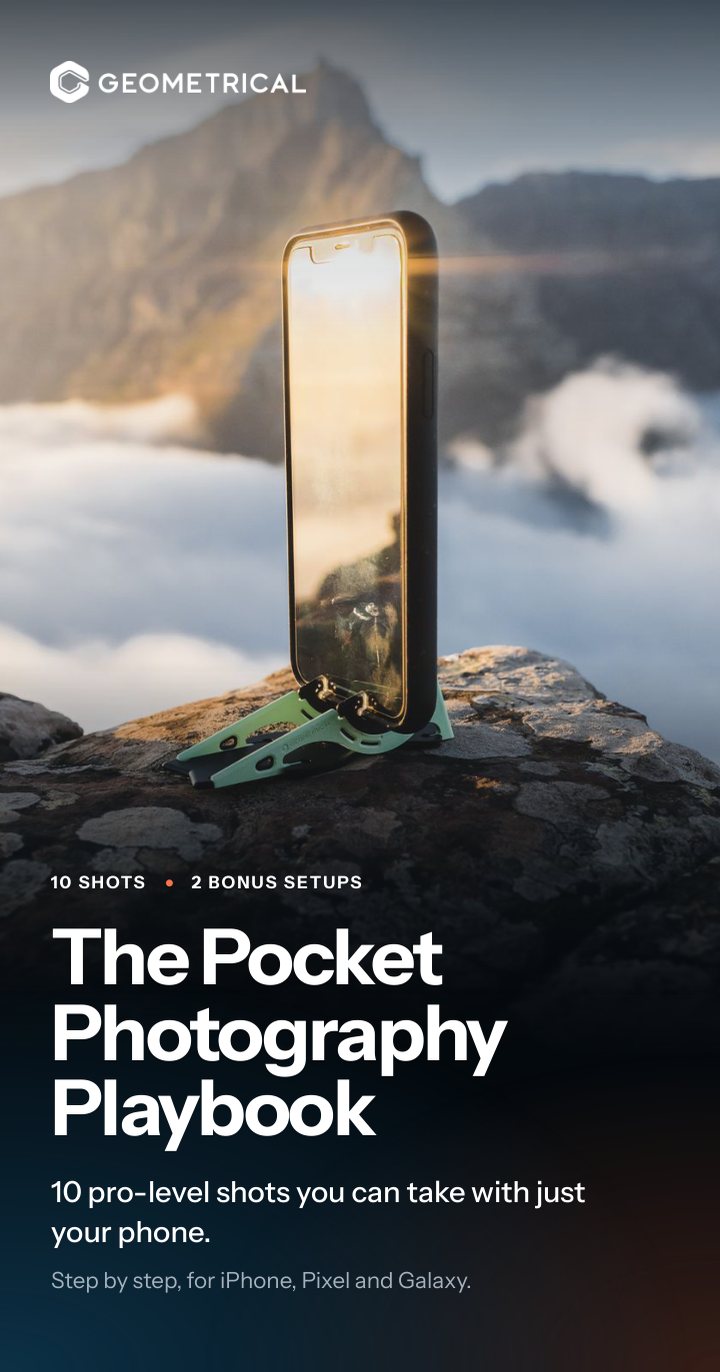
10 pro-level shots you can take with just your phone.
The Pocket Photography Playbook takes each shot in three short screens: the look to aim for, where to put the phone, and what to tap on iPhone, Pixel or Galaxy.
- From golden-hour portraits to the Milky Way
- Your phone's menus are drawn, so you know what to tap
- Free, and sent straight to your inbox
Great phone photos come down to two things.
The camera in your pocket can already take magazine-quality photos. What turns a snapshot into a stunning one isn't a better phone.
-
Knowing the right setup
Where the phone goes, where the light comes from and what to tap. The Playbook draws it out, shot by shot.
-
Keeping the phone still
Most of these shots fall apart the moment the phone moves. Every shot shows where to put it so it stays put.
The Playbook gives you both.
Ten shots, plus two bonus setups.
This is the look to aim for. The Playbook shows you how to set each one up, step by step.
 01Easy
Golden hour portrait
The last hour of sunlight makes everybody look good.
 02Easy
Overhead flat lay
Everyday things, turned into a tidy little poster.
 03Medium
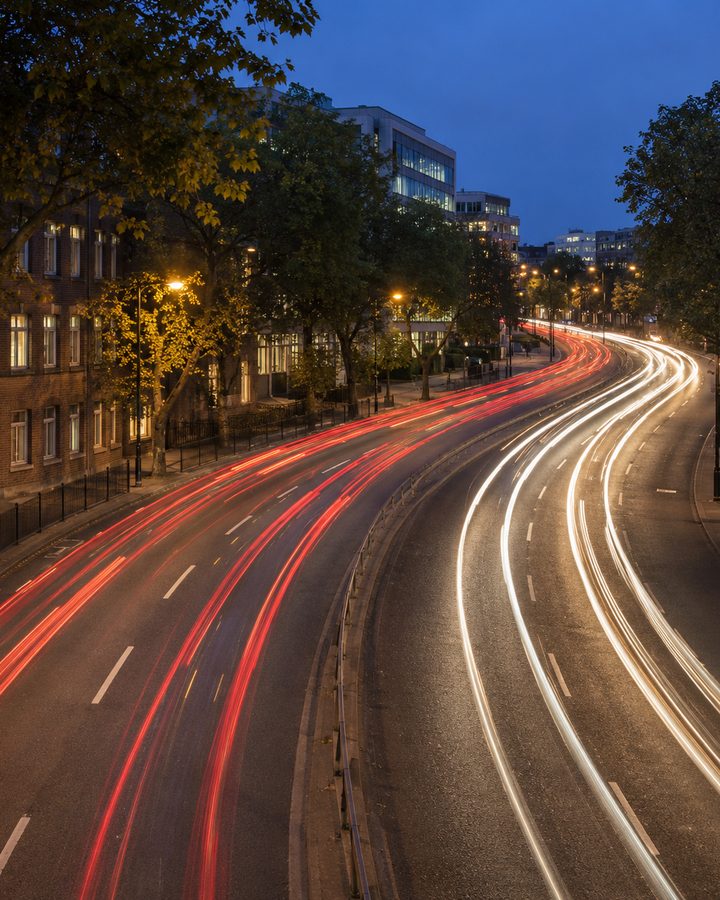
Light trails
Headlights become ribbons of red and white.
 04Easy
Time-lapse
A sunset packed into twenty seconds.
 05Easy
Low-angle hero
Put the phone on the ground and everything looks bigger.
 06Patient
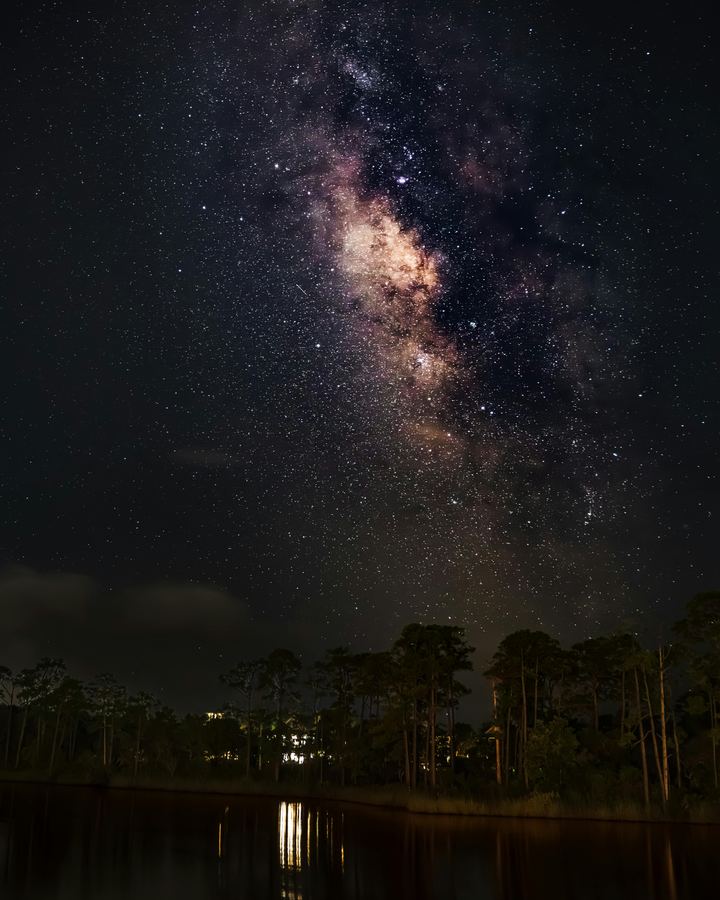
Stars and the Milky Way
Held still for 30 seconds, a phone sees more stars than you can.
 07Easy
Everyone in the photo
The person who always takes the picture gets to be in it.
 08Medium
Silky water
A waterfall smoothed into mist while the rocks stay crisp.
 09Easy
Macro close-up
There's a whole world at arm's length.
 10Easy
Reflection symmetry
Lens almost on the water, and the world folds in half.
 BonusEasy
You, in the picture
The view, and you in it, without handing your phone to a stranger.
 BonusEasy
Film yourself
A recipe, a workout, a how-to. It looks like you brought a crew.
Shots you didn't think a phone could take.
Three of the ten, with a taste of what the Playbook spells out.
Turn traffic into ribbons of light.
Headlights become ribbons of red and white while the buildings stay sharp. Impossible handheld, and easy once the phone is still.
The full setup, for iPhone, Pixel and Galaxy, is in the Playbook.
Photograph the Milky Way. Seriously.
Find a dark spot outside the city, lean the phone back and let it gather light. The Playbook tells you how far to tilt it, and what your phone calls its night mode.
The full setup, for iPhone, Pixel and Galaxy, is in the Playbook.
Smooth a waterfall into silk.
A waterfall, a stream or waves on rocks, smoothed into mist while everything else stays crisp. The water does the moving. The phone's only job is not to.
The full setup, for iPhone, Pixel and Galaxy, is in the Playbook.
Every shot, in three short screens.
The guide is sized for your phone, so there is no pinching and zooming. These are the three screens for light trails, plus the cheat sheet from the back. All ten shots follow the same three.
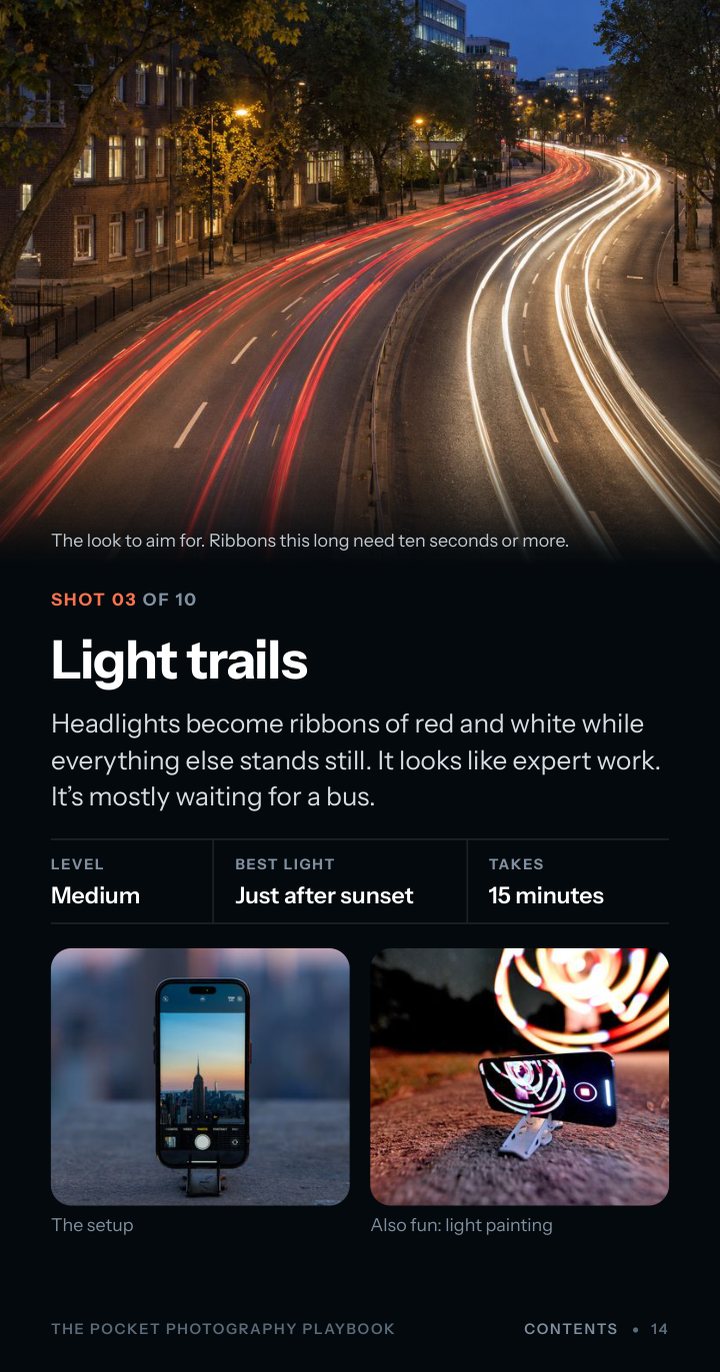
The shot
The look to aim for, the best light and how long it takes.
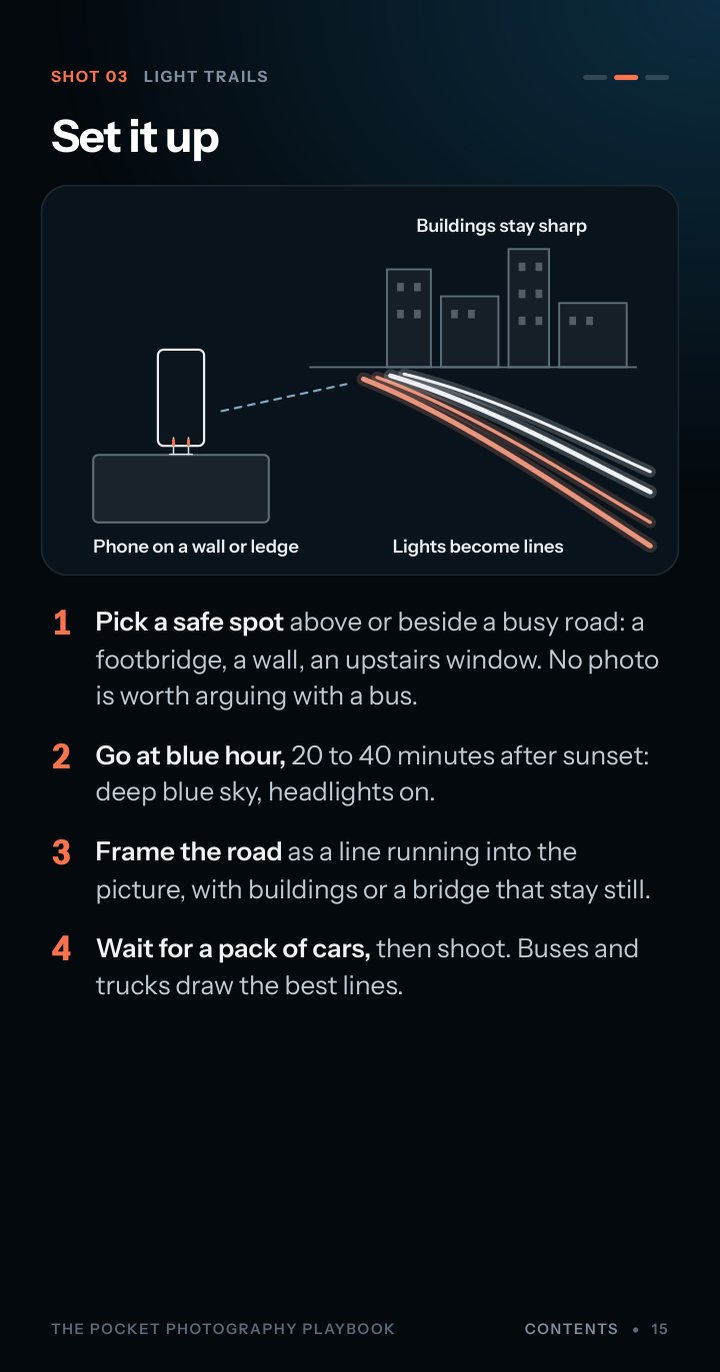
Set it up
Where the phone goes and where the light comes from, drawn out, then four steps.
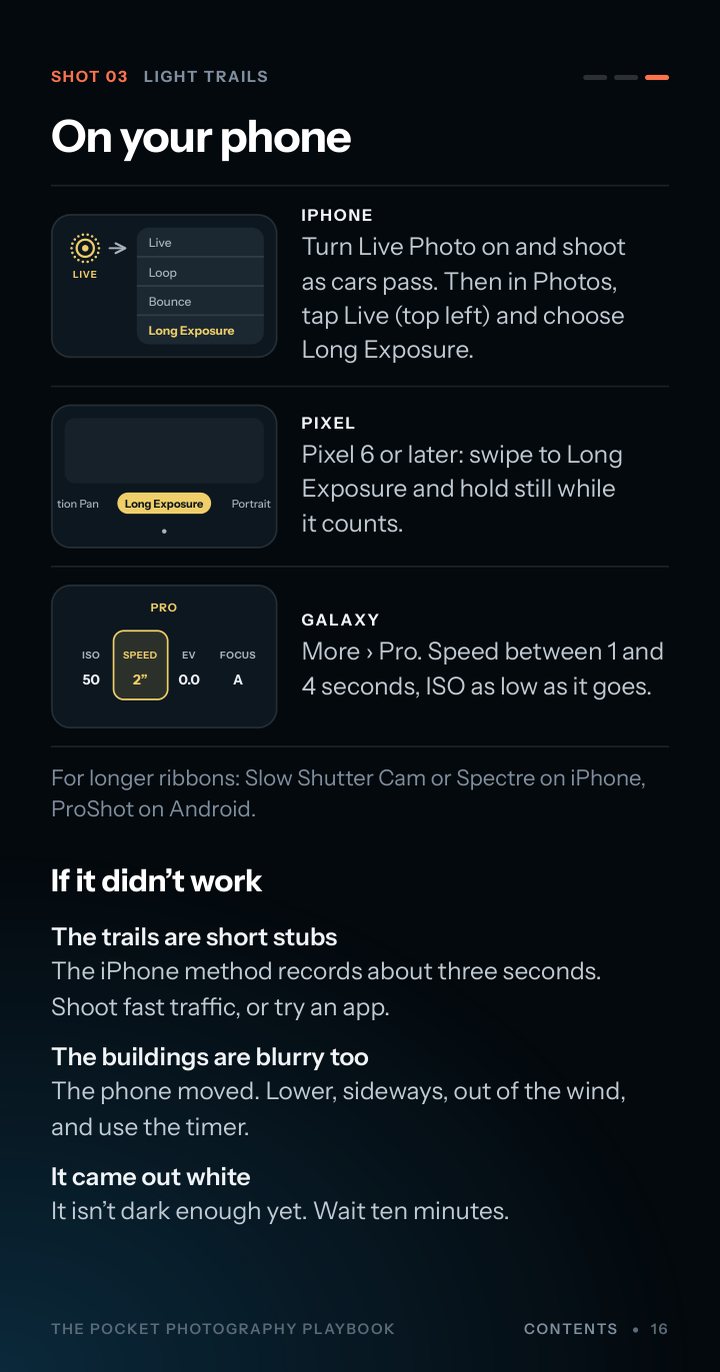
On your phone
What to tap on iPhone, Pixel and Galaxy, with the menu drawn. Then what to try if it didn't work.
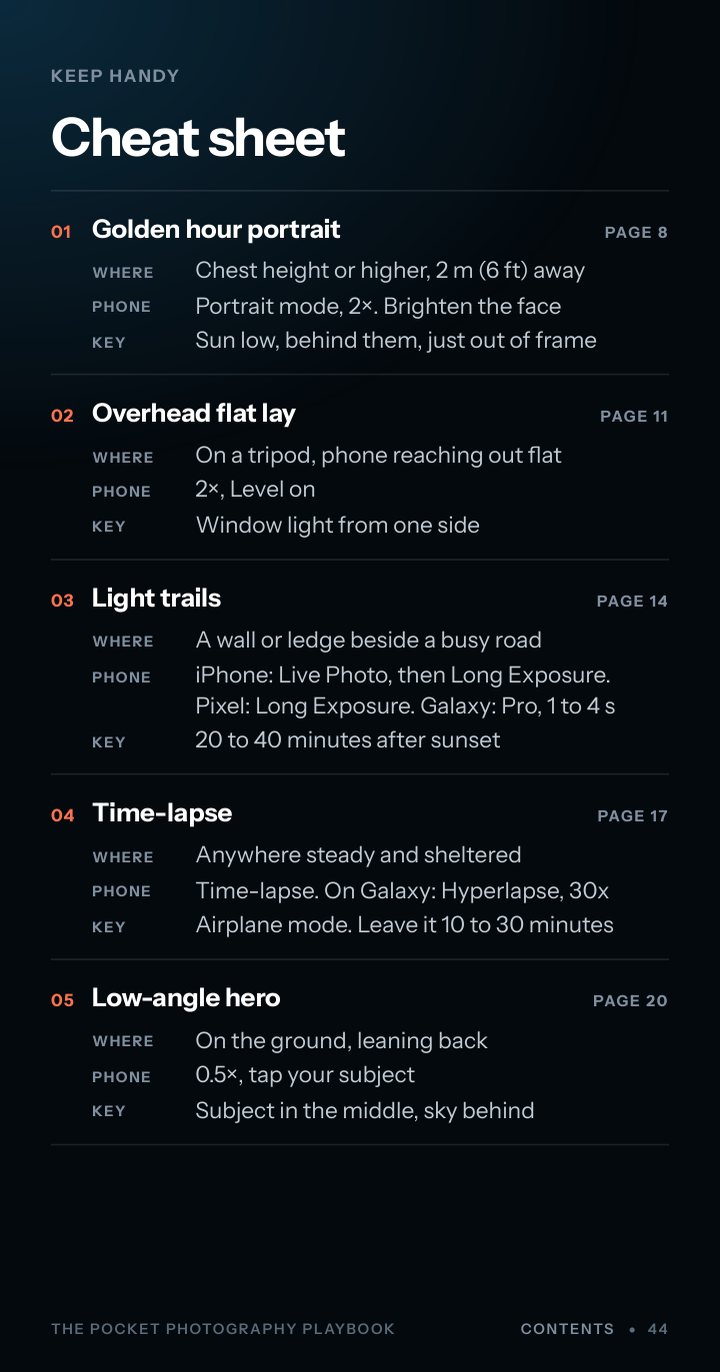
Keep handy
A cheat sheet for all ten shots, and quick fixes for blurry, dark or crooked photos.
From sign-up to your first shot in minutes.
-
Tell us where to send it
Enter your email at the top of this page. It's free.
-
Open the Playbook
We email you the guide as a PDF. It's sized for a phone screen, so save it to your phone and it's there when the light is good.
-
Pick a shot and try it
Each one is three short screens. Grab your phone, find some good light and take your first one today.
Whether you create, travel, or just love a good photo.
Content creators
Level up your Reels, TikToks and Shorts with techniques that take minutes to learn.
Travelers
Bring home photos worth framing without carrying extra gear. Just your phone and a little know-how.
Photography enthusiasts
No fancy camera needed. Learn the shots that make friends ask, "Wait, you took that on your phone?"
Questions, answered.
Yes. There's nothing to pay and no card to enter. You give us an email address and we send you the guide.
Enter your email and we send you the Playbook as a PDF. If you don't see it within a few minutes, check your spam or promotions folder.
Yes, that's what it's made for. The pages are the shape of a phone screen, so there's no pinching and zooming. Save it to your phone and it works without a signal.
Any recent iPhone, Google Pixel or Samsung Galaxy. Every shot has its own steps for all three, with a drawing of the menu to look for. On other Android phones the same controls have similar names.
No. Every shot depends on one thing: a phone that stays perfectly still, and any steady support will do it. We make the Pocket Tripod, a phone stand the size of a credit card, so that's the one in the pictures.
Yes. Seven of the ten shots are marked Easy and two are Medium. The tenth, the Milky Way, mostly asks for patience and a dark sky.
Yes, now and then: photography tips and the occasional product update. Every email has an unsubscribe link, and one click stops them.
Grab your phone and find some good light.
Get the Playbook and try your first shot today.
See the Pocket Tripod the Playbook is built around